ComputerPrivate beta

It does the clicking. You keep the yes.

Reposance has its own computer in the cloud. It runs your errands on real websites while you watch, and never types your password or your card.
Its own computer

It has its owncomputer.

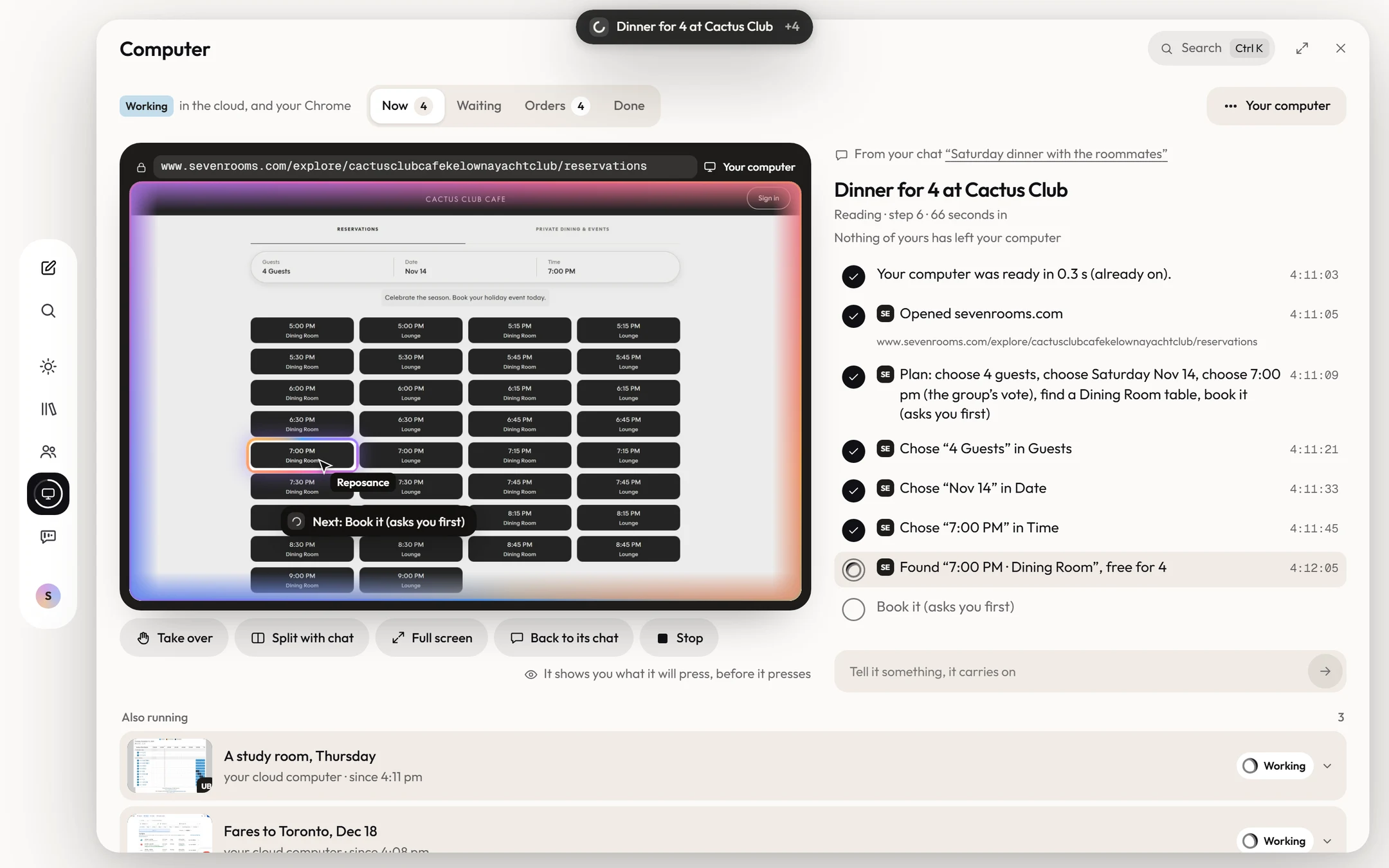
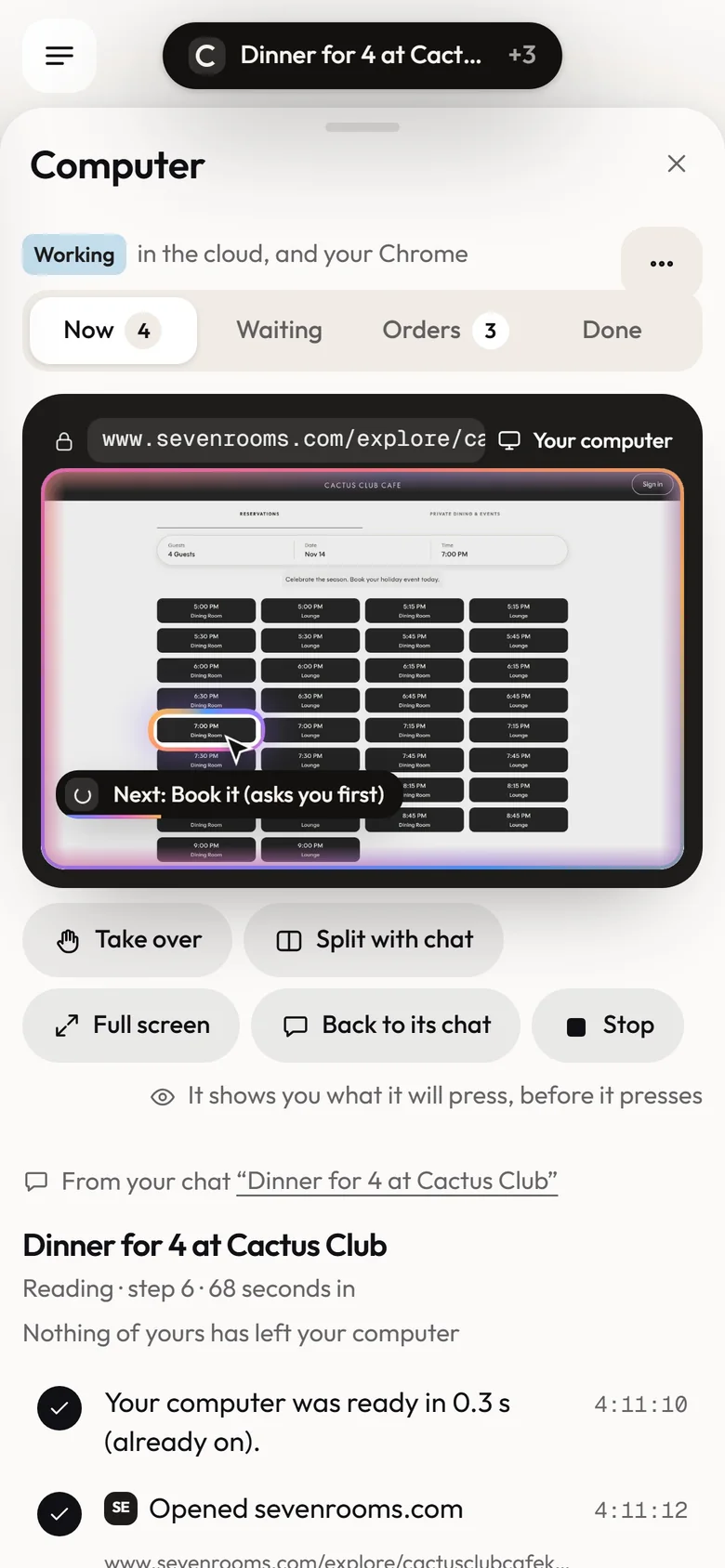
Not your laptop. A computer in the cloud that is yours alone. It opens real websites, clicks and types, and every step shows as it happens.
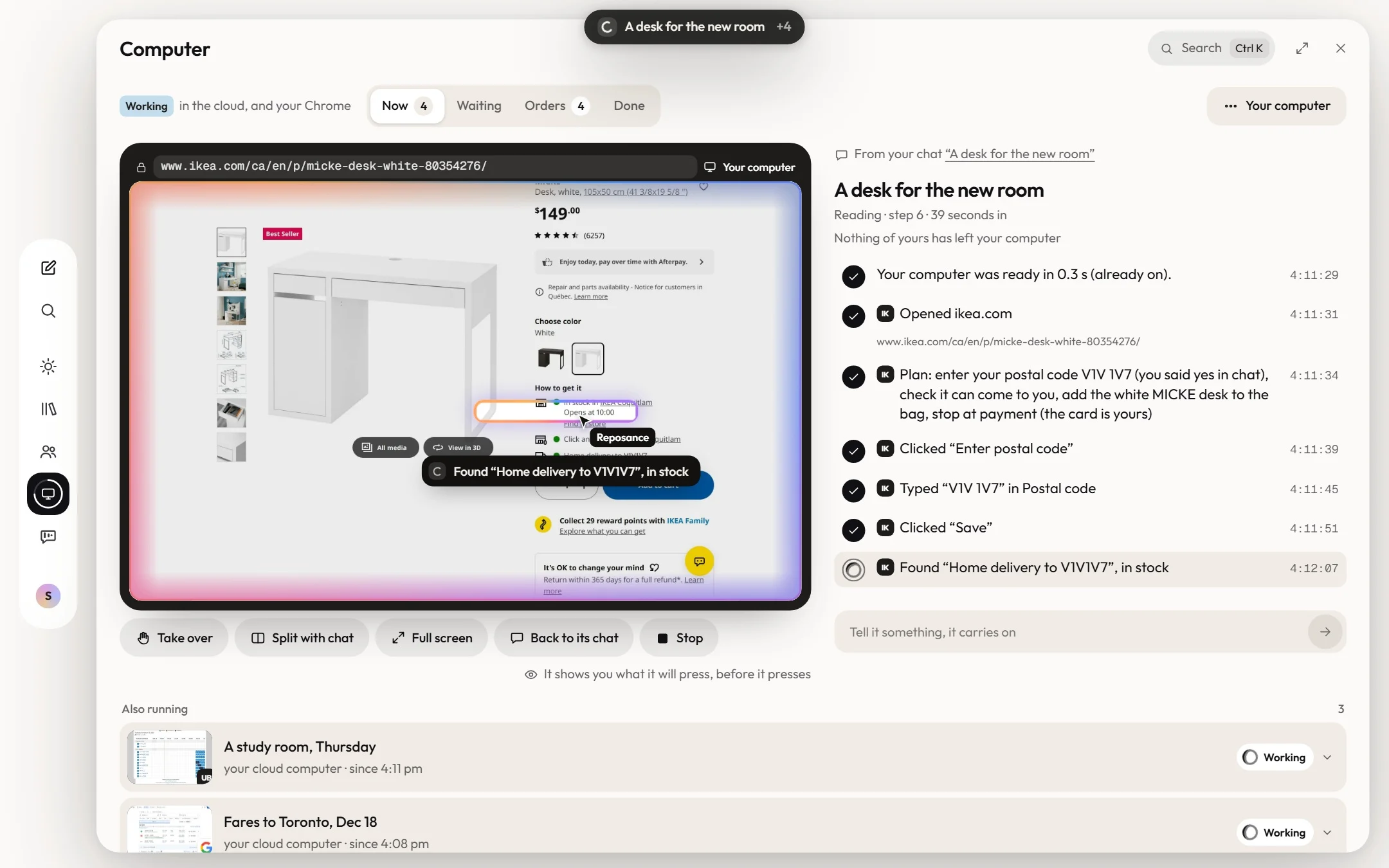
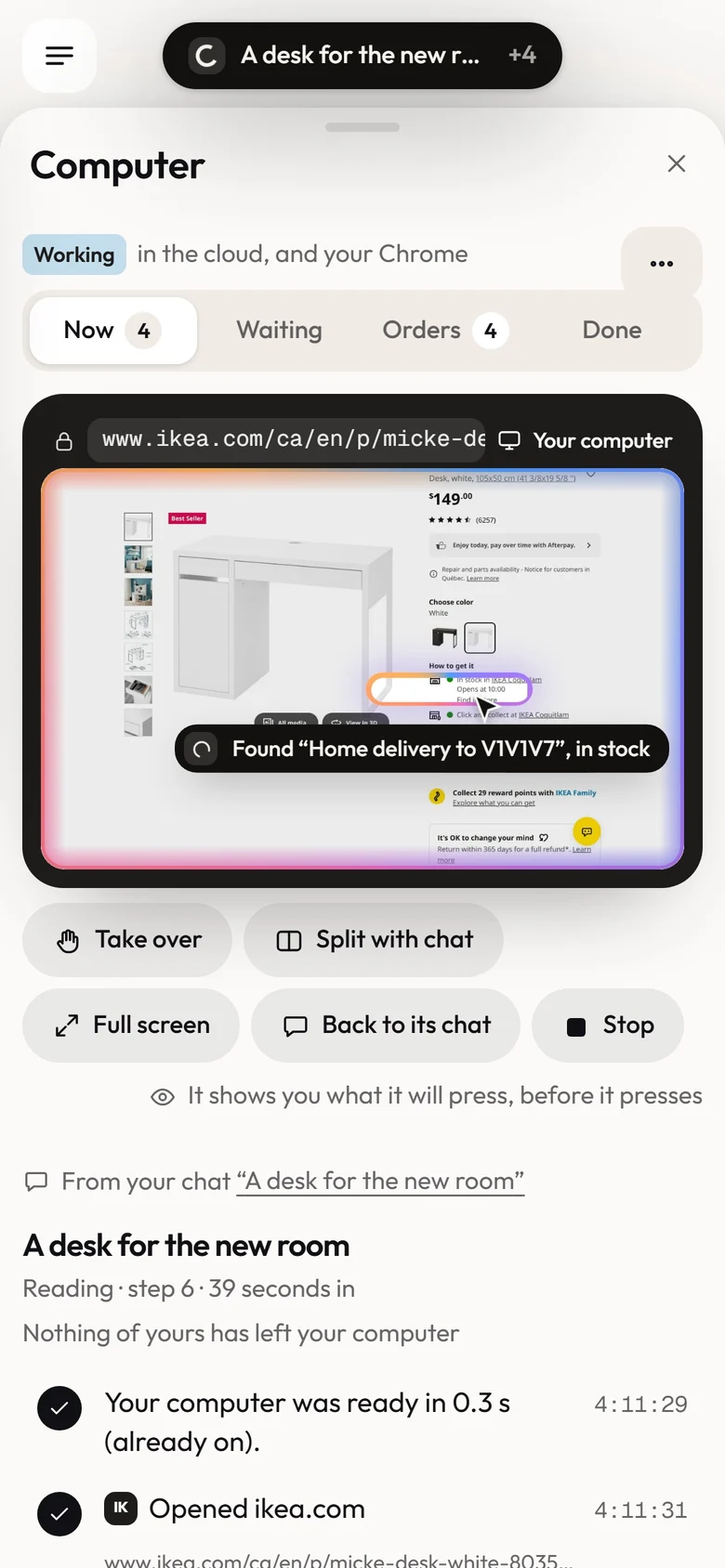
  • Real websites. The same pages you would open, from IKEA to SevenRooms.
  • Every step shown. What it opened, typed and found, with the time.
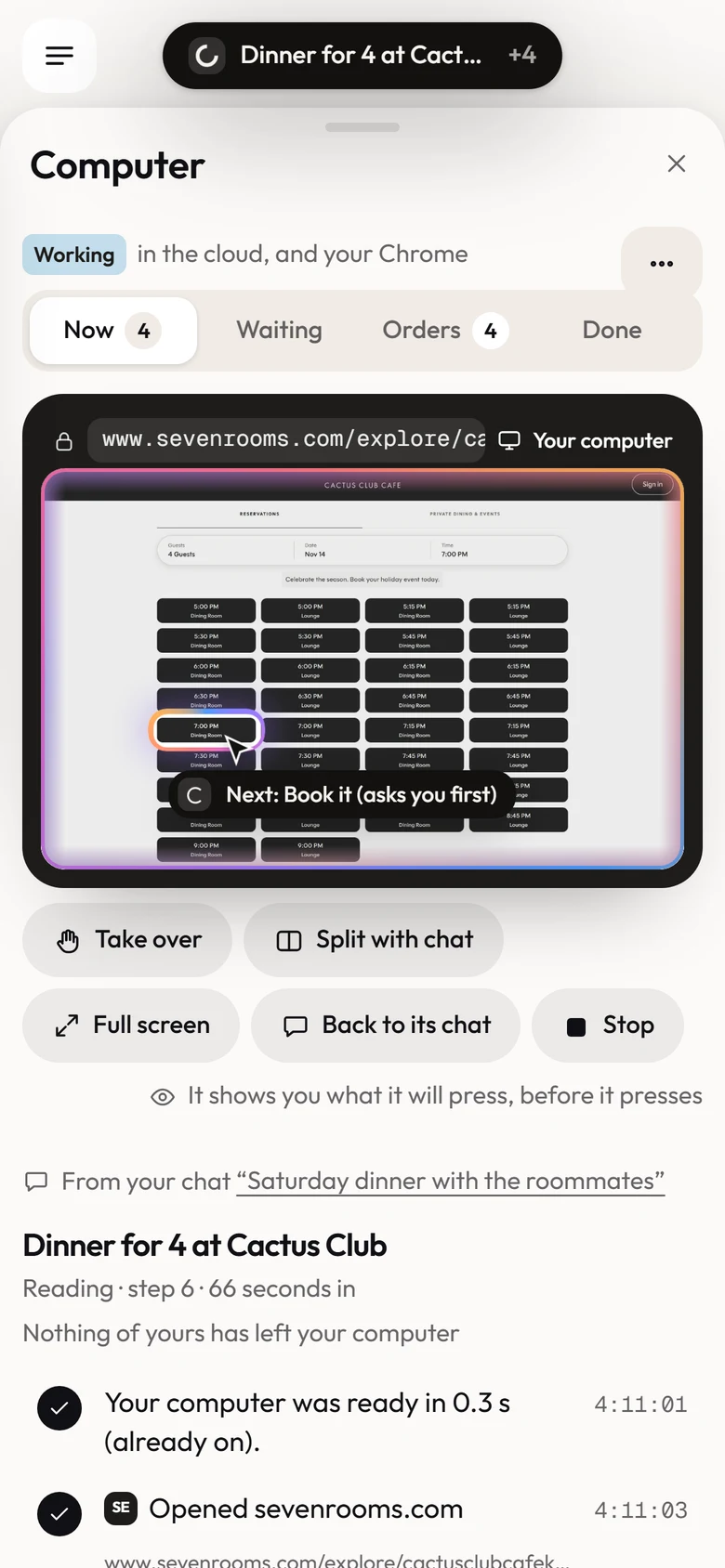
  • It points first. It rings what it will press, before it presses.

You can take over

Take the wheel,anytime.

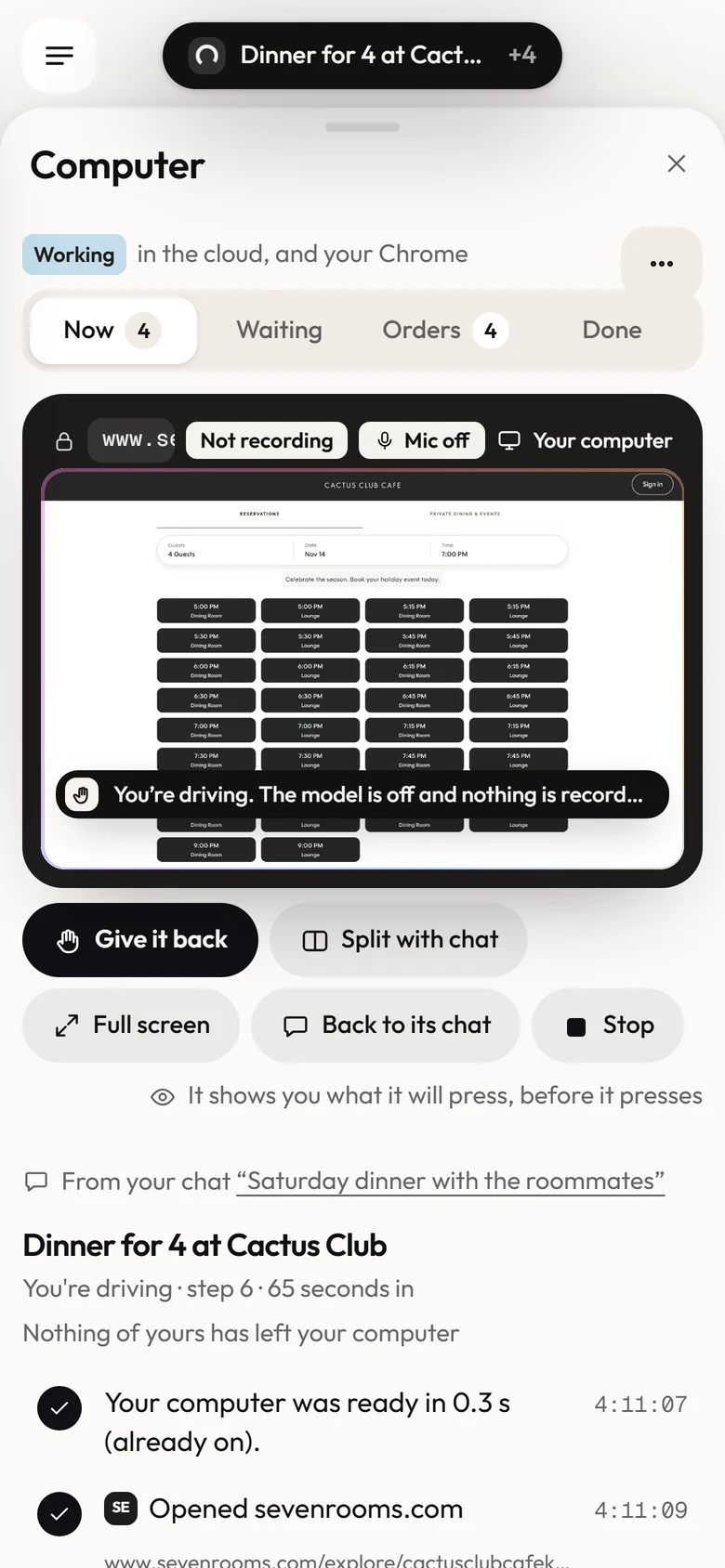
Press Take over and its computer is yours: the model stops and nothing is recorded. Type your own sign-in there once. The vault keeps the session, never the password.

Try it. Press Take over, then give it back.
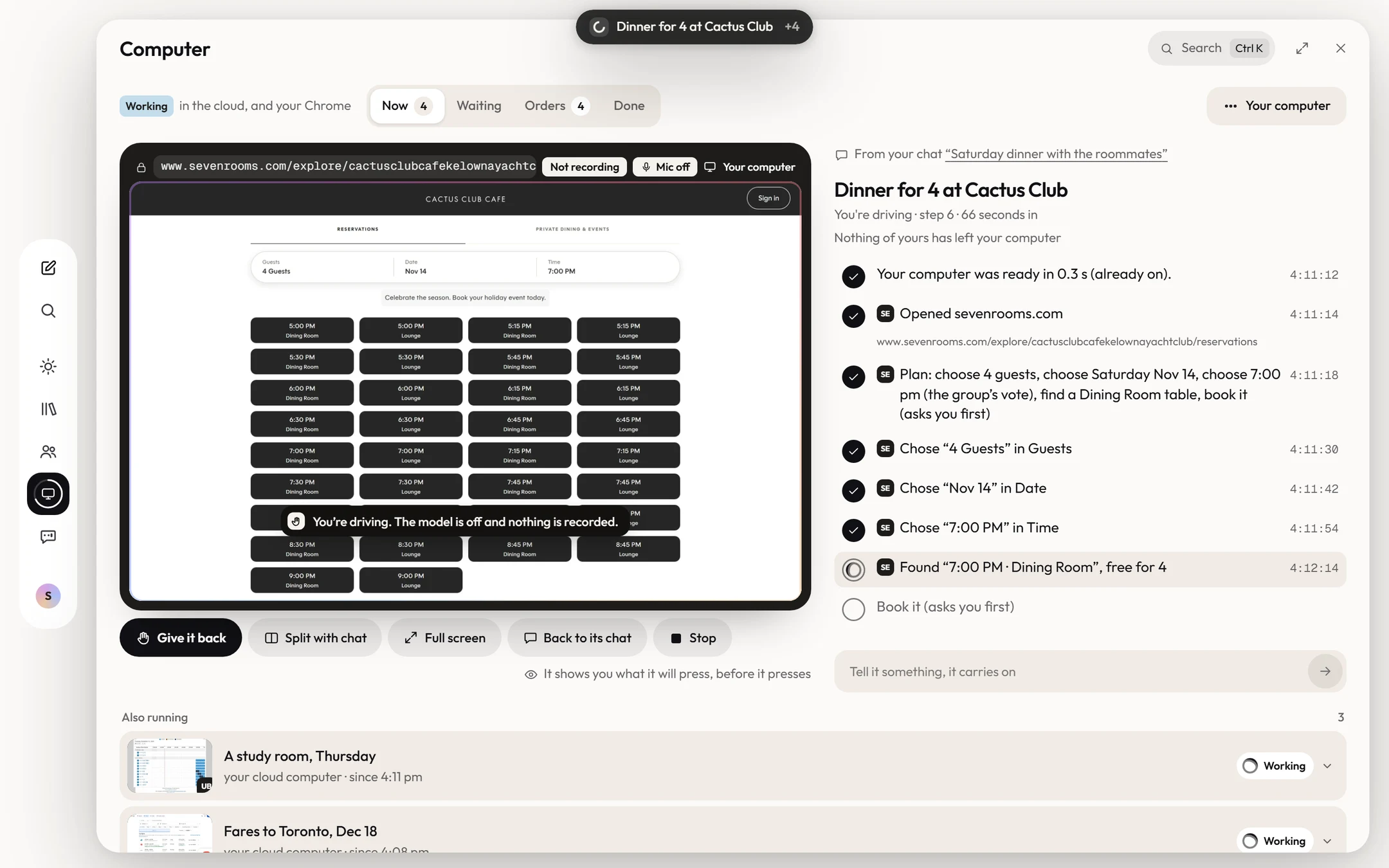
  • Your hands, its computer. While you drive, the model is off and no picture is kept.
  • Sign-ins stay yours. You type them once. It keeps the session, never the password.
  • Stop always works. One press, at any step, and nothing more is pressed.

Asks first

It stopsbefore it pays.

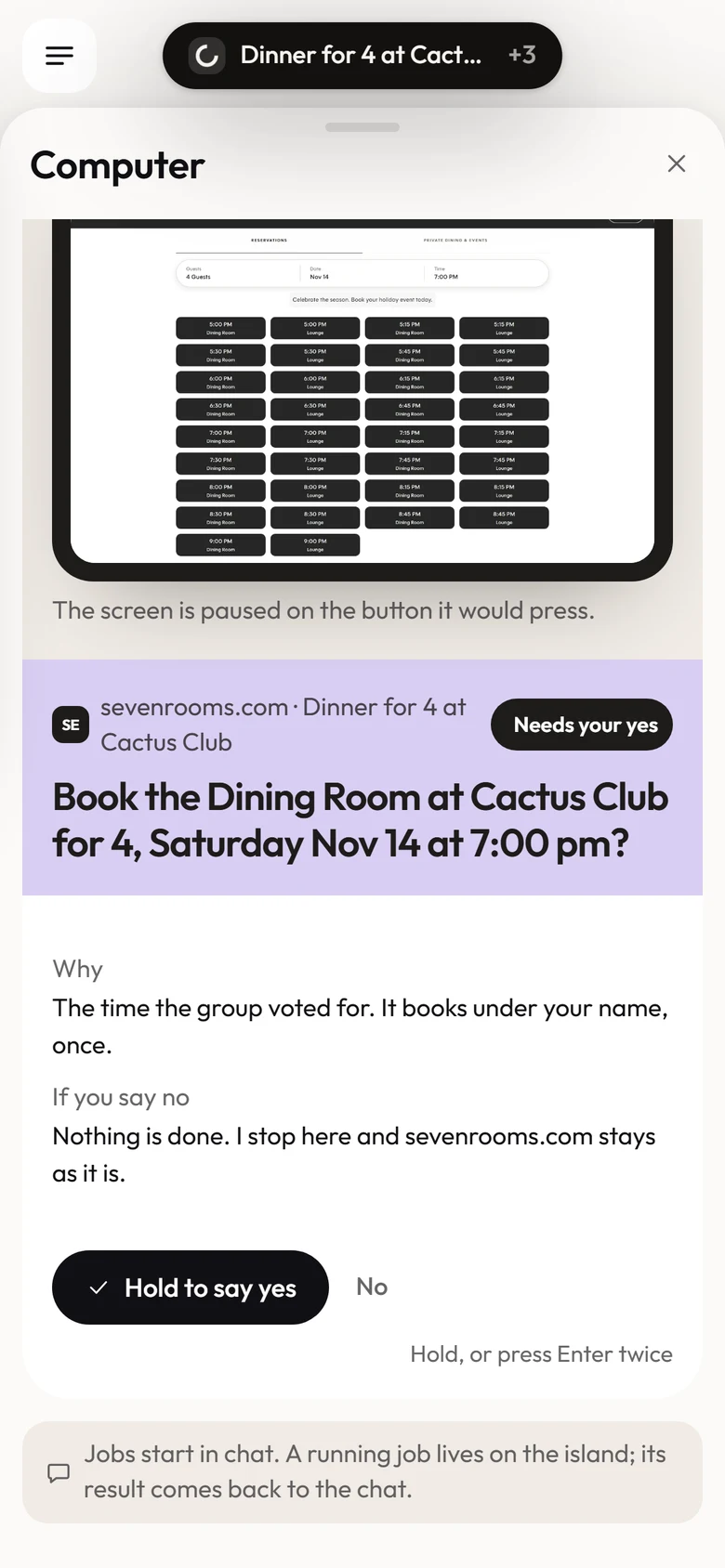
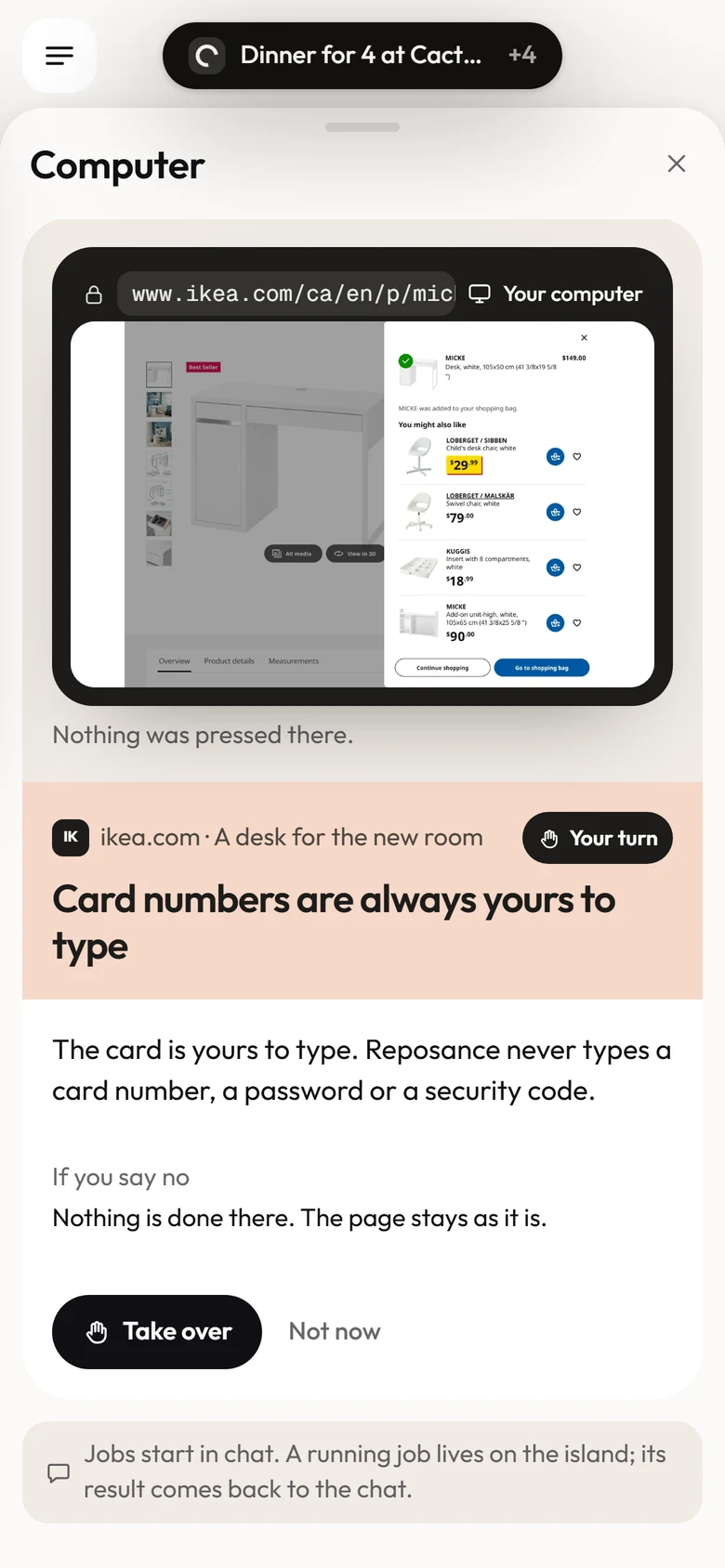
Before it books or orders, it asks. At the payment step it hands the page to you. It never types a card number, and it never makes an account in your name.
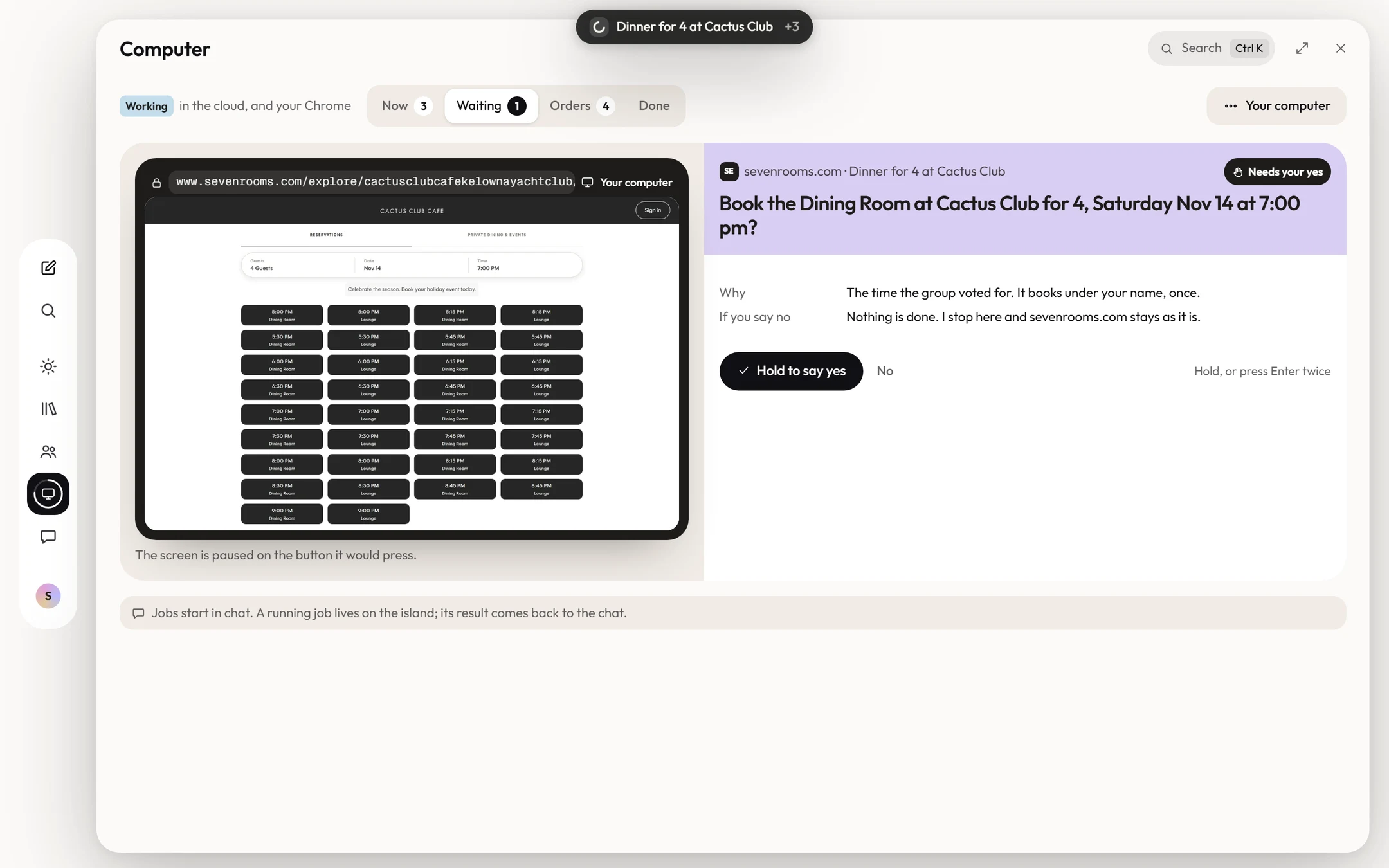
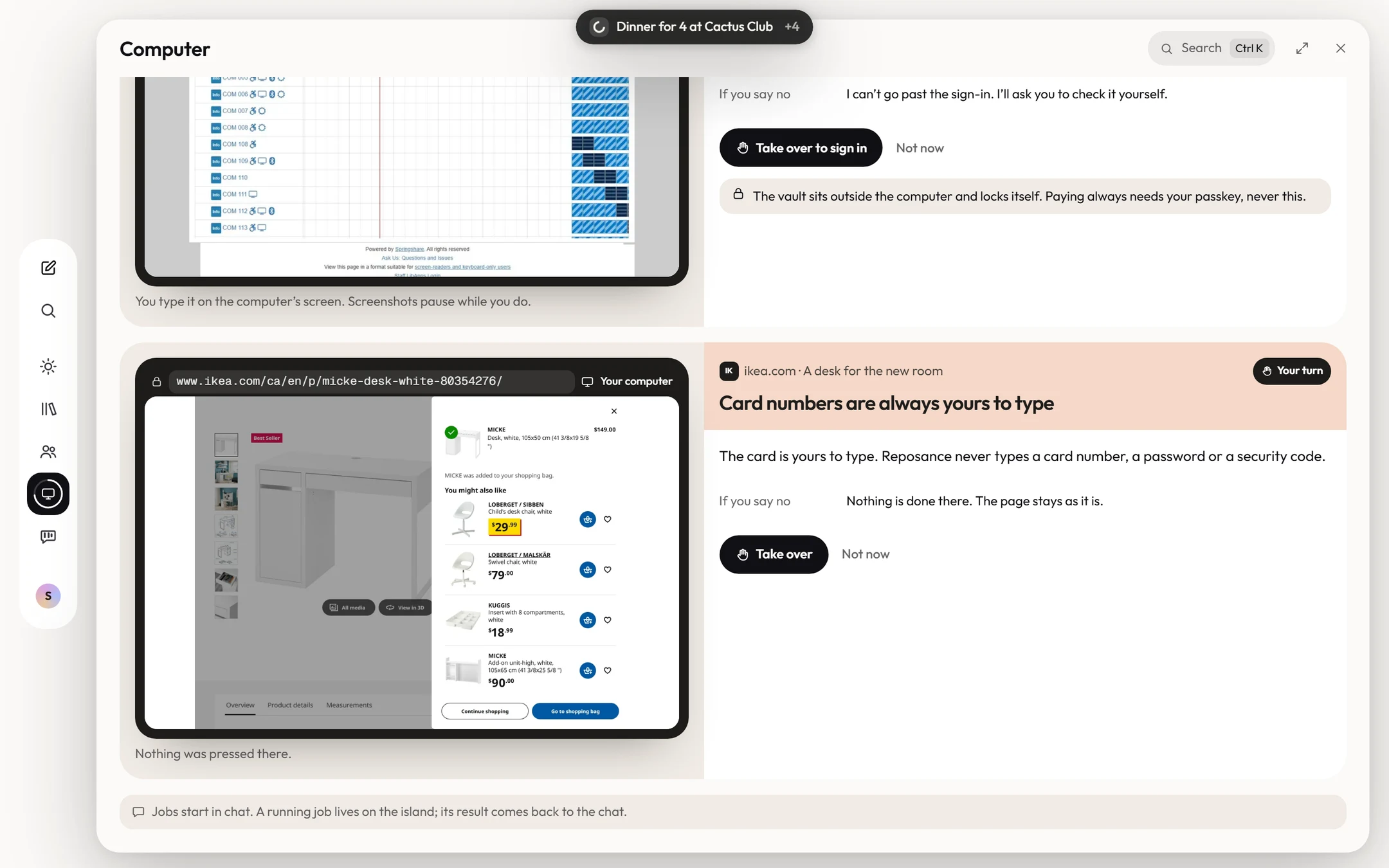
  • Asks before it books. Bookings and orders wait for your yes.
  • Never types your card. Card numbers, passwords and one-time codes are yours to type.
  • Never acts as you. It never creates accounts, solves CAPTCHAs or moves money.

For detail lovers

Everything in Computer.

01Its own computer

  • One computer per personA cloud computer that is yours alone, not your laptop.
  • Sleeps when idleIt pauses with nothing to do. Deleted only when you ask.
  • Several at onceExtra computers for parallel jobs, removed when they are done.
  • The open web, with gatesSecure sites only. Private addresses and phishing hosts are blocked.
  • Signed as ReposanceEvery request it sends says it comes from reposance.com.

02You see every step

  • Each step, timedWhat it opened, chose and found, as it happens.
  • Shows what it will pressA ring on the button, before it presses.
  • Replay the runScrub back through every step afterwards.
  • Split with chatWatch beside your chat, full screen or not at all.
  • Tell it somethingSteer it mid-run, and it carries on.

03You take the wheel

  • Take overYour hands on its computer. The model is off, nothing is recorded.
  • Sign-ins stay yoursThe vault keeps the session, never the password.
  • Stop, alwaysPer run, or pause the whole computer.
  • Pause every orderOne hold pauses all your standing orders.

04It asks first

  • Bookings and ordersHeld for your yes, with what happens if you say no.
  • FormsIt types search boxes. Every other field asks.
  • UploadsEvery file it would upload asks first.
  • A new destinationSending to a site it has not used asks: send this to it?
  • Standing ordersEach in its own sentence, inside limits. They end after 30 days unless you chose up to 90.

05Lines it never crosses

  • Your cardNever types card numbers, passwords or one-time codes.
  • Your moneyNever holds or moves money. Payment stays your step.
  • Accounts and CAPTCHAsNever creates accounts, signs in for you or solves CAPTCHAs.
  • Quizzes and examsNever opens, reads or acts on a quiz or a test.
  • PicturesStills kept 30 days, no video. None while you type a secret.

Standing orders

It works while you sleep.

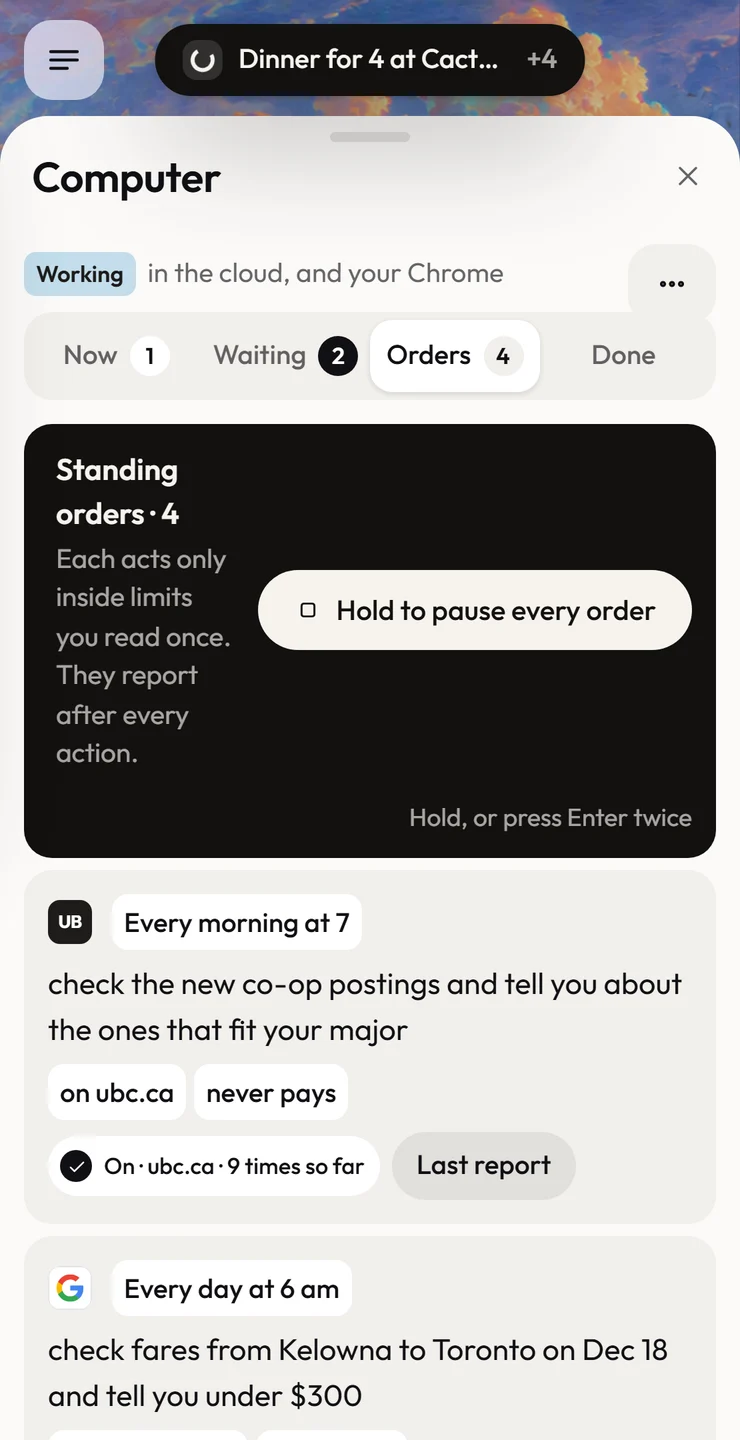
Give it a job once, in your own words. Its computer wakes for each run, then sleeps, and the report is waiting in the morning. Four of them, exactly as the app lists them:

  1. UB

    Every morning at 7

    check the new co-op postings and tell you about the ones that fit your major

    on ubc.ca · never pays

  2. Every day at 6 am

    check fares from Kelowna to Toronto on Dec 18 and tell you under $300

    on google.com · never buys

  3. Every 3 hours

    look for new 2-bedroom apartments near UBCO under $1,900

    on kijiji.ca · never pays

  4. UB

    Mondays at 8 am

    book a library study room for Thursday, 2 to 4 pm

    on libcal.library.ubc.ca · once a week

Never unattended, whatever an order says: paying, sending to someone new, submitting graded work, a new password, anything on a quiz or exam.
Questions,
answered.

Still curious? Write to support@reposance.com. A person reads every message.

Whose computer is it?

Yours alone: one computer in the cloud per person, never your own laptop. It sleeps when there is nothing to do, and it is deleted only when you ask, with its saved sign-ins too if you choose.

Will it sign in or pay for me?

No. You take over and type your own sign-in once; the vault keeps the signed-in session, never the password. It never types card numbers or one-time codes, and it stops at the payment step for you.

Can I watch it, or stop it?

Every step shows as it happens, and it rings each button before it presses it. Watch beside your chat or walk away. Take over, steer it or stop it at any moment. Stop always works.

What will it never do?

Create accounts, solve CAPTCHAs, open a quiz or an exam, send mass messages or scrape sites at scale. It never holds or moves money, and it never submits a job application on its own.

Hand it
the errand.

Join the beta. Students first, every major. Laptop, iPad and phone.

You are on the list. Check your inbox.

Reposance betaStudents firstAsks before it acts2026