Chrome extension Private beta, starting with students

It comes with you to every site.

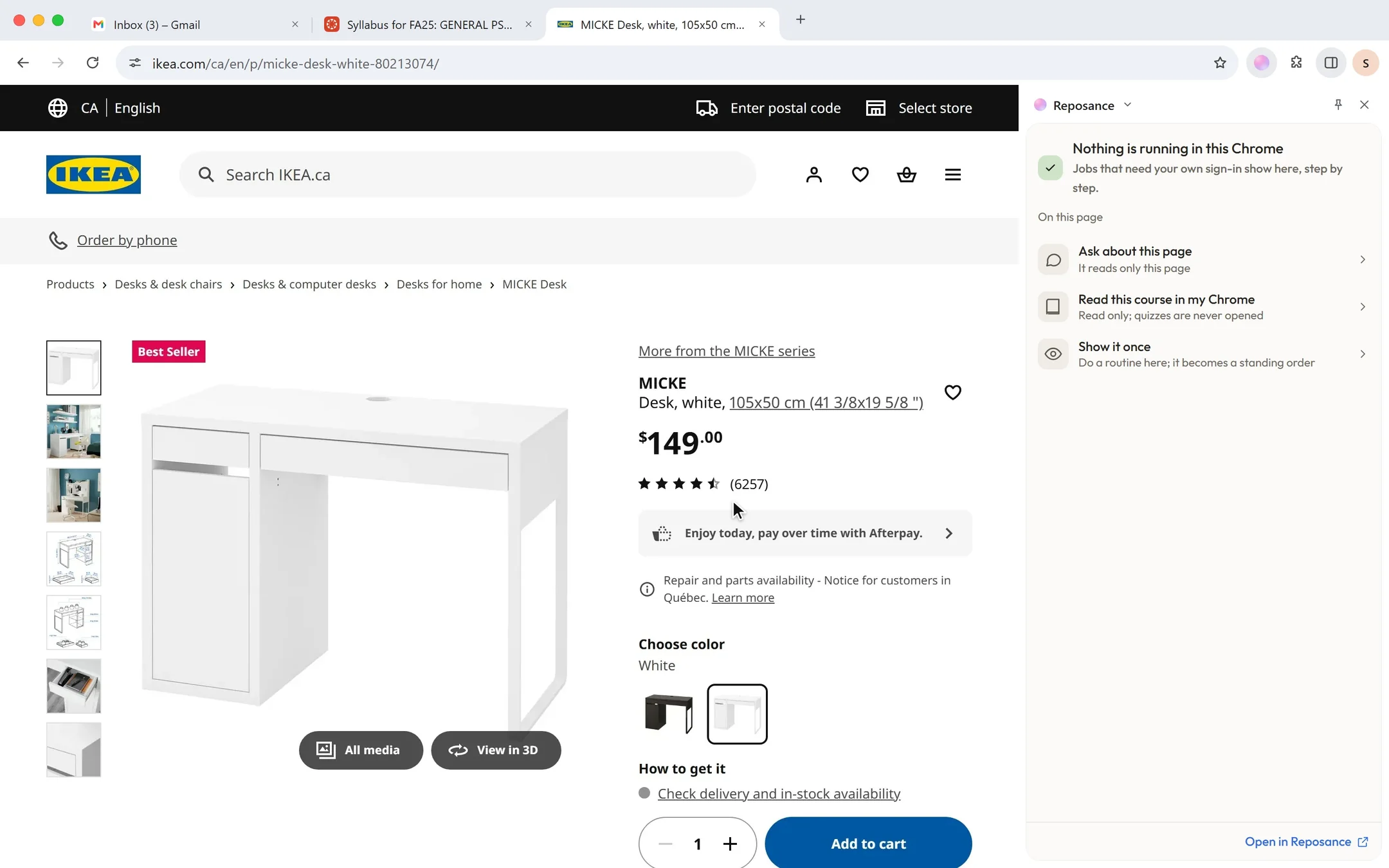
Ask about the page you’re on. It points at exactly what it means, and does the clicking in your own Chrome.

It sees the pageyou’re on.

Open the side panel on any site and ask, the way you’d ask a friend looking over your shoulder. It reads that page and answers right beside it.

It shows you,not just tells you.

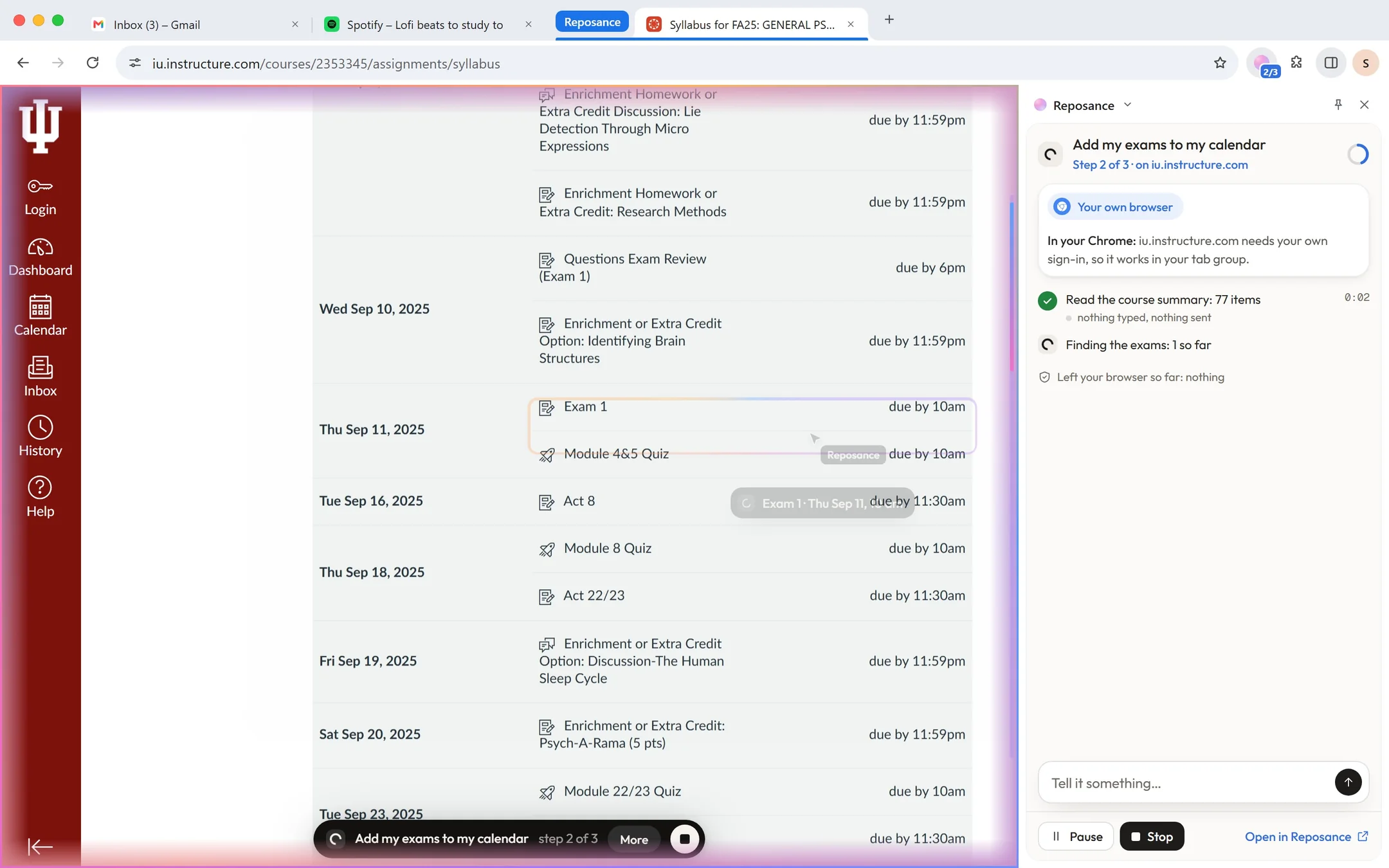
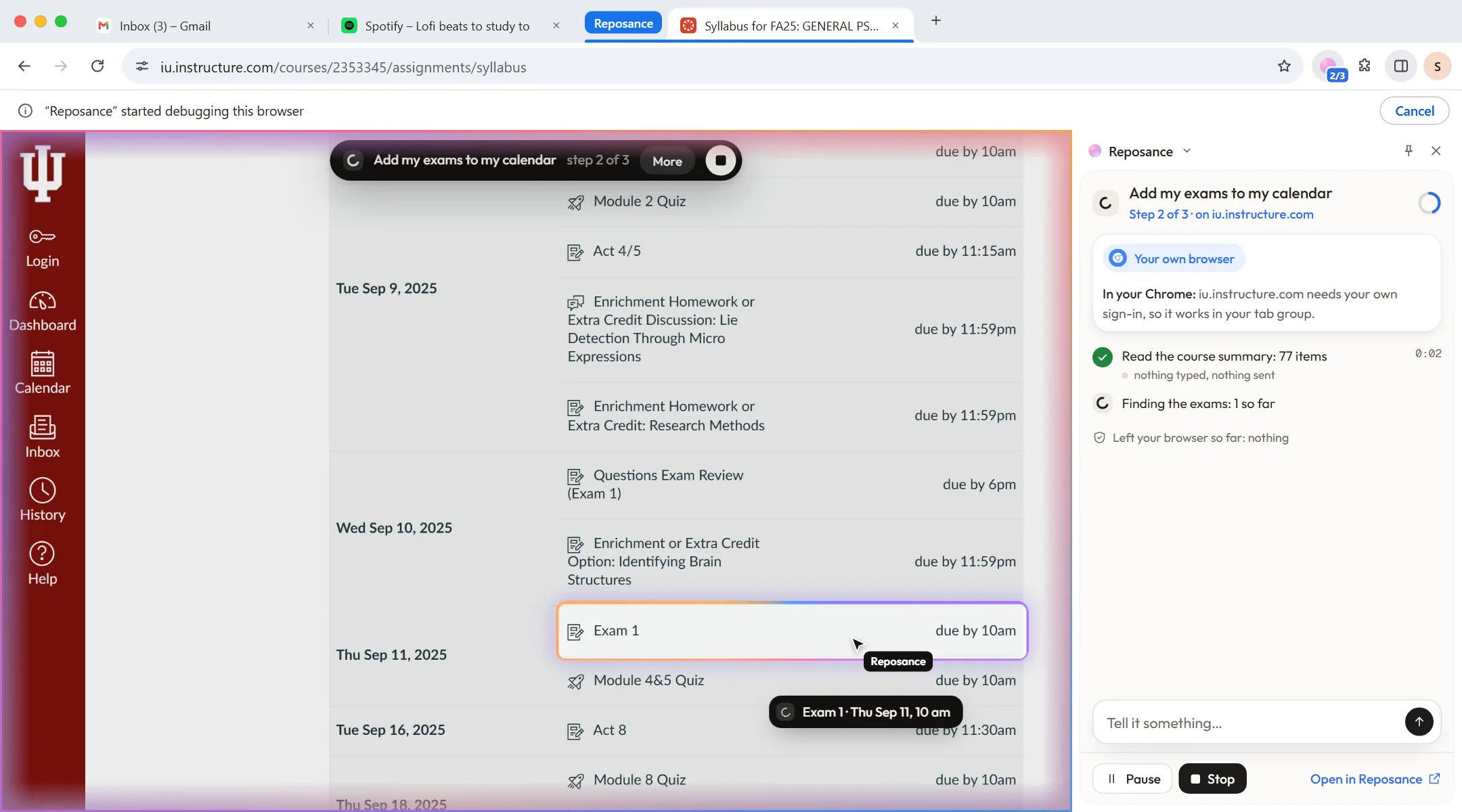
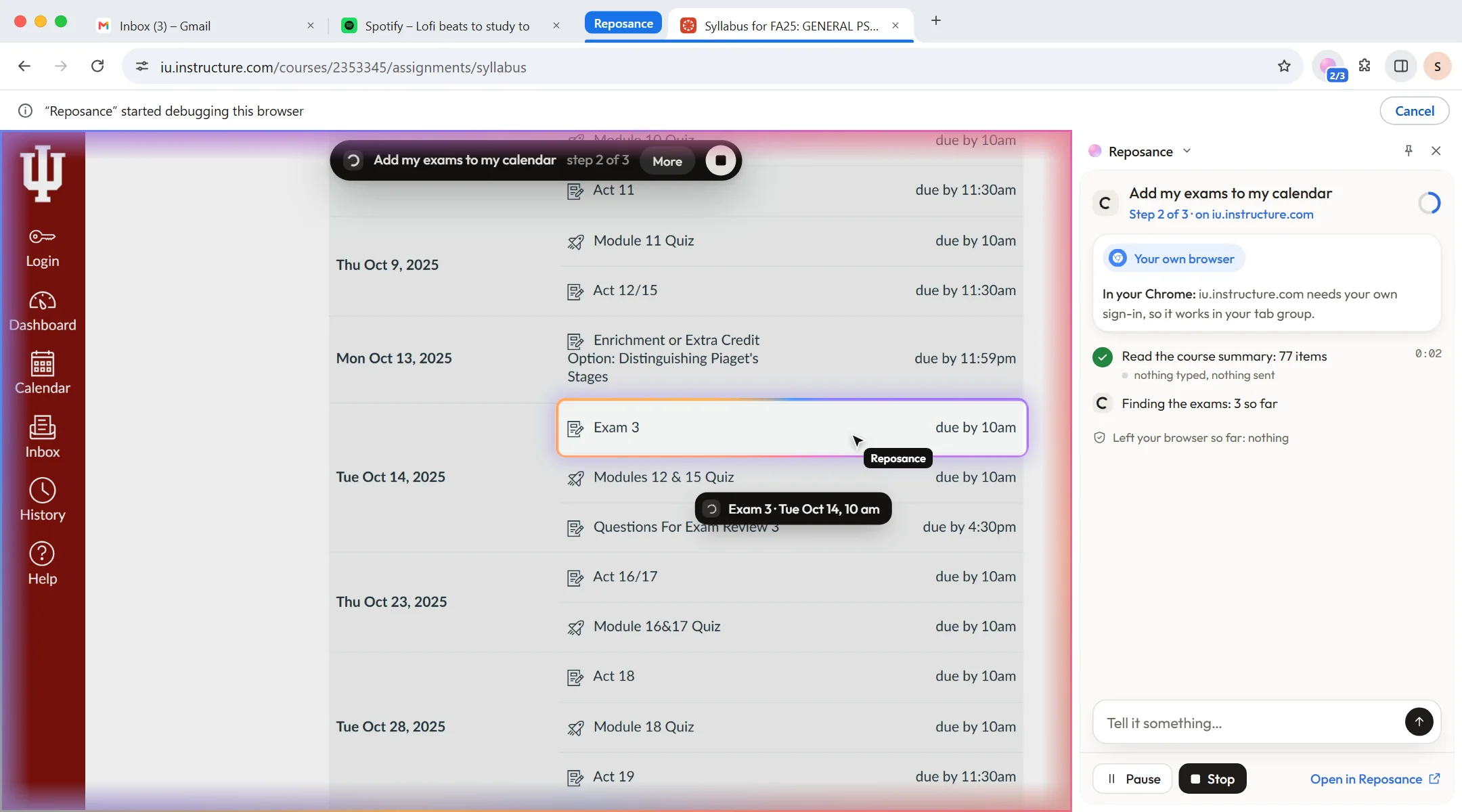
The page dims, a ring settles on the exact row and a caption names it. This is the real extension, running live on a real Canvas page.

Pick an exam, or click any row on the page.

Your own Chrome.Its own lane.

It acts only inside its own Reposance tab group, under Chrome’s own debugging bar. Stop is on the page, in the panel and on that bar, and it always works.

Press Stop on the page, in the panel, or Cancel on Chrome’s bar.

  • Its own tab group. It never touches the tabs you’re using.
  • Ask me before each job. One switch, and every job asks first.
  • Off in exam hours. A running job stops, and quizzes are never opened.

Everything in the extension.

For the detail-minded: what it reads, how it shows you, and what stays yours.

On any page

Ask about this page
Open the side panel and ask. It reads only that page to answer.
Send to Reposance
Right-click a selection, or the pill on a selected date, to file it or add the deadline. With Undo.
Read a course in your Chrome
When a course shares nothing with apps: read only, in your own session.
Show it once
Do a routine once while it watches. It becomes a standing order you approve.
Quizzes stay yours
Quizzes and exams are never opened, read or acted on.

Shows you

The glow
A soft multicolour edge rises from the pill while it acts, and drains back when it’s done.
The dim and the ring
The page dims and a ring settles on the exact row, field or button.
A caption for each step
It names what it points at, like “Exam 1 · Thu Sep 11, 10 am”.
Before a press that counts
“Next: press …” with a short count. It waits while you use the page.
Typing and scrolling
A sheen over the field it types into, a rail for where it scrolls.
Calm when you ask for it
With reduced motion, a still rim. States differ by width and strength only.

Your browser

Its own tab group
Blue while it works, yellow for your yes, green when it’s done.
Chrome’s own bar
Chrome shows its debugging bar while it acts. Cancel on it stops the job.
Your sign-ins
It works where a site needs you signed in, like your school’s Canvas.
Passwords and cards stay yours
It never types them. Take over, type, hand it back.
CAPTCHAs are for people
It never solves them. It hands you the tab.
Drag a tab out, it lets go
A tab pulled out of the group is no longer its to use.

On a short leash

Stop always works
The square on the page, Stop in the panel, or Cancel on Chrome’s bar.
Pause or take over
Pause between steps, or take the tab and hand it back.
Hold to approve
Steps that count wait for your hold. Only real presses count.
Ask me before each job
One switch: every job asks before it uses your Chrome.
Off in exam hours
During your exam hours it’s off, and a running job stops.
What left your browser
The panel shows each step, and what it sent, as it goes.

Where it runs

Chrome first
On your laptop, in the private beta.
Edge, Firefox and Safari
Coming soon, on Windows and Mac.
Safari on iPad
Clip a page to Reposance. Coming soon.
One-click pairing
From the toolbar button, with a code as a fallback.
The toolbar badge
2/3 while it works, ! when it needs you, ✓ when done.
Chrome closed?
The job waits and says so. With a deadline, it asks you.

Your Chrome, only when it needs you.

Reposance has two ways to use the web. It picks the right one for each job, and tells you which.

The extension

In your Chrome

When a site needs your own sign-in, like your school’s Canvas, Brightspace or Moodle.

  • Only inside the Reposance tab group
  • Only while Chrome is open
  • Passwords and card numbers stay yours
The side panel, word for word
Your own browser

In your Chrome: iu.instructure.com needs your own sign-in, so it works in your tab group.

The Computer

On its own computer

When the site is public: flights, prices, bookings and forms.

  • Keeps going while your laptop sleeps
  • Asks before anything goes out
  • Watch it live, or take over
Explore the Computer

Chrome closed when a job needs it? It waits and tells you, and if there’s a deadline, it asks what to do.

Questions,
answered.

Still curious? Write to support@reposance.com. A person reads every message.

Does it type my passwords?

No. Passwords, card numbers and one-time codes are always yours. When a site asks for one, it hands you the tab: you type, then hand it back.

How do I stop it?

Press Stop: the square on the page, Stop in the side panel, or Cancel on Chrome’s own bar. Steps that count wait for you to hold, and “Ask me before each job” makes every job ask first.

Will it take my quizzes?

No. It never opens, reads or acts on quizzes and exams, and it’s off during your exam hours.

Which browsers does it work in?

Chrome on your laptop, in the private beta. Edge, Firefox and Safari are coming, and so is clipping from Safari on iPad.

Hand it
your week.

Join the beta. Students first, every major. Laptop, iPad and phone.

You are on the list. Check your inbox.

Reposance betaStudents firstAsks before it acts2026