Notes on iPadPrivate beta

Write by hand. Get it answered.

Circle anything you wrote with the Pencil, and the answer lands beside your ink. Then your notes turn into flashcards, quizzes and summaries.

Your handwriting

Write the wayyou always do.

Real Pencil ink on lined, Cornell, dotted or music paper. A history lecture, a cadence, a cell: every course gets its own notebook, and the lecture records beside it where the course allows.

Ask on the page

Circle it.It answers beside it.

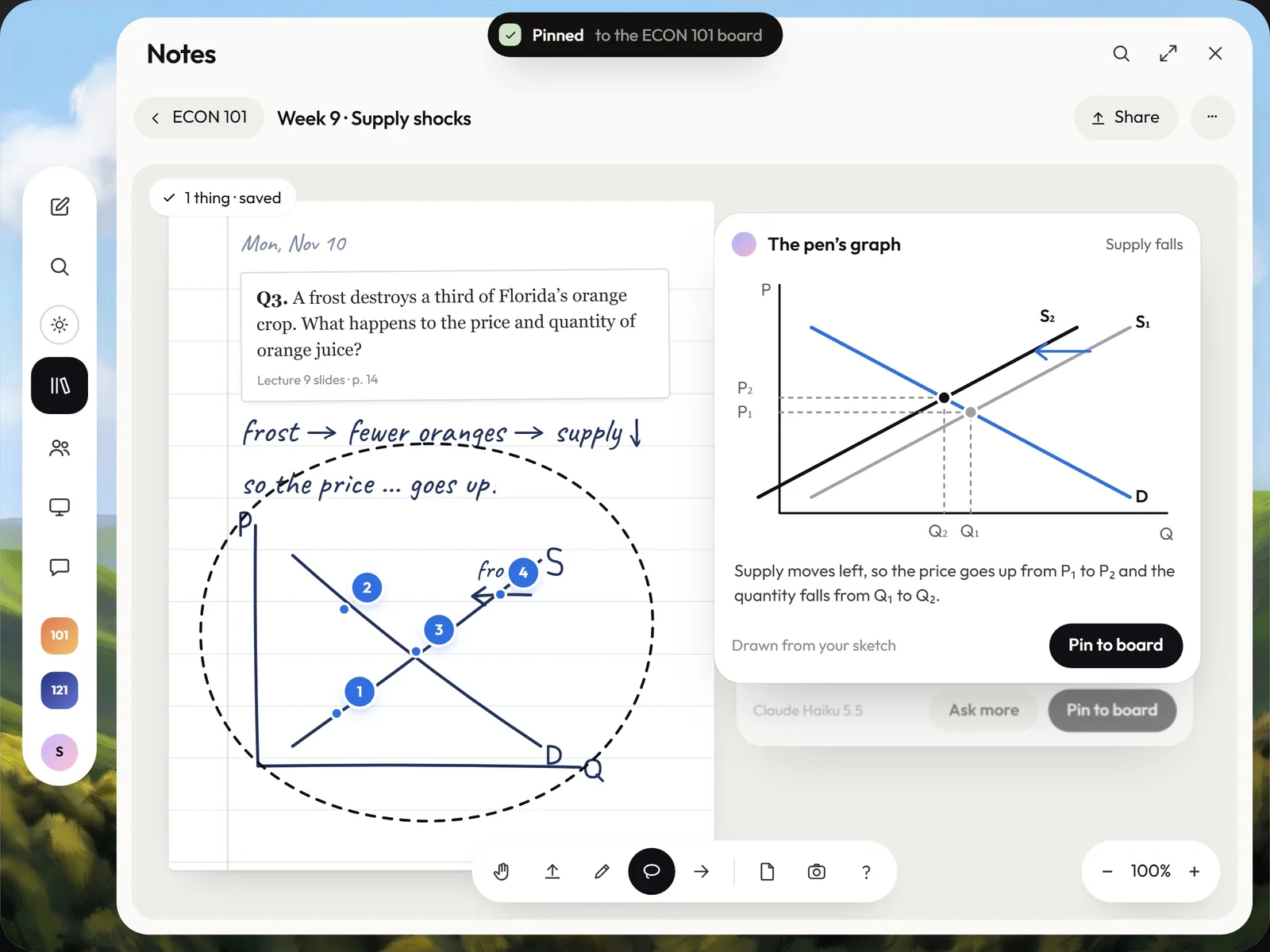
Lasso any line, sum or sketch. The answer lands next to your ink in your course’s words, with the slide and the minute it came from.

Try it. Draw a loop around the handwriting with your mouse or finger.

  • In your course’s words. From your slides and what was said, with the minute.
  • Your ink stays yours. It answers beside the page, never over it.
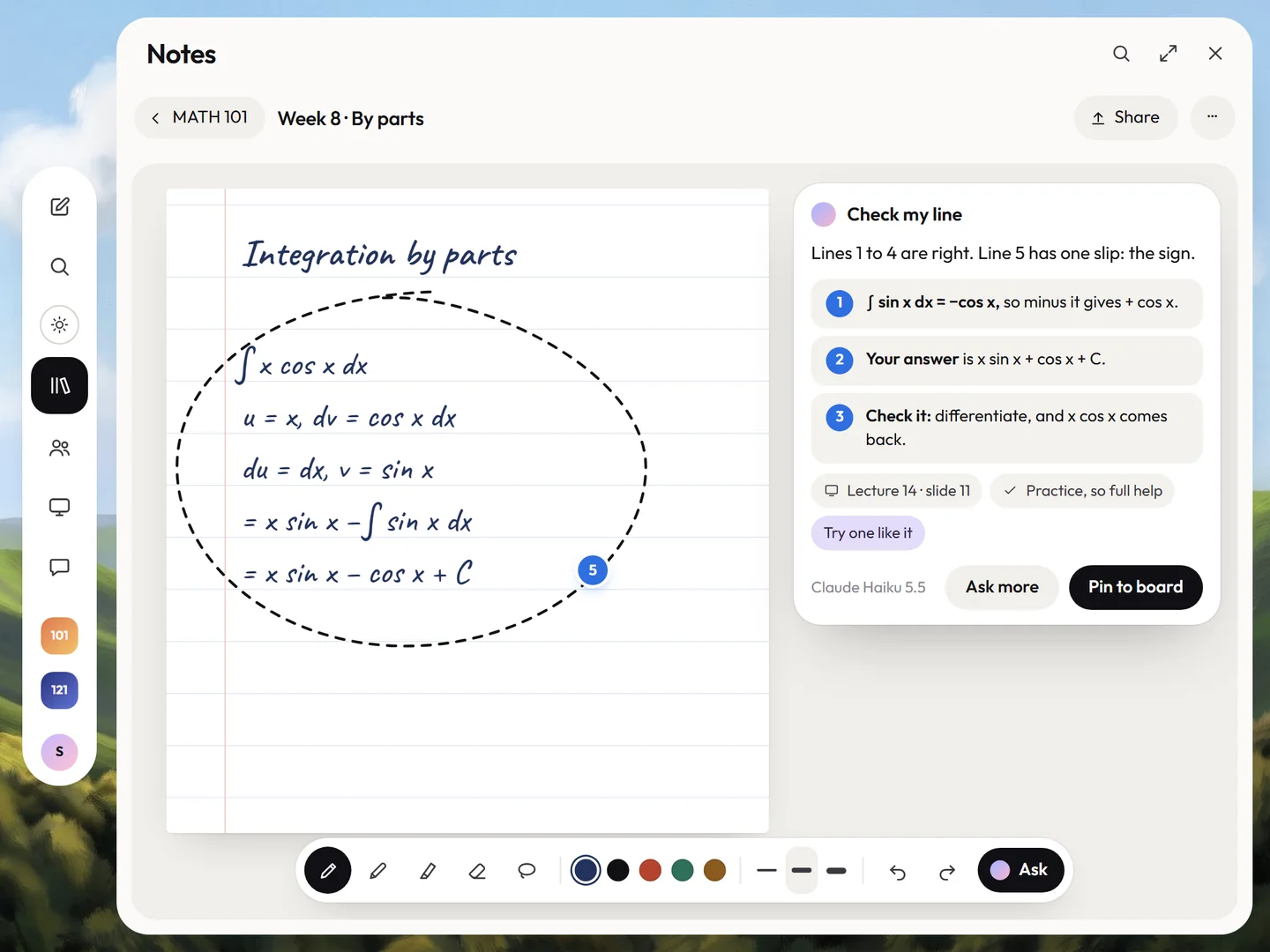
  • Check my line. It finds the step you slipped on, and lets you fix it.

Study from it

Your notes becomeyour study.

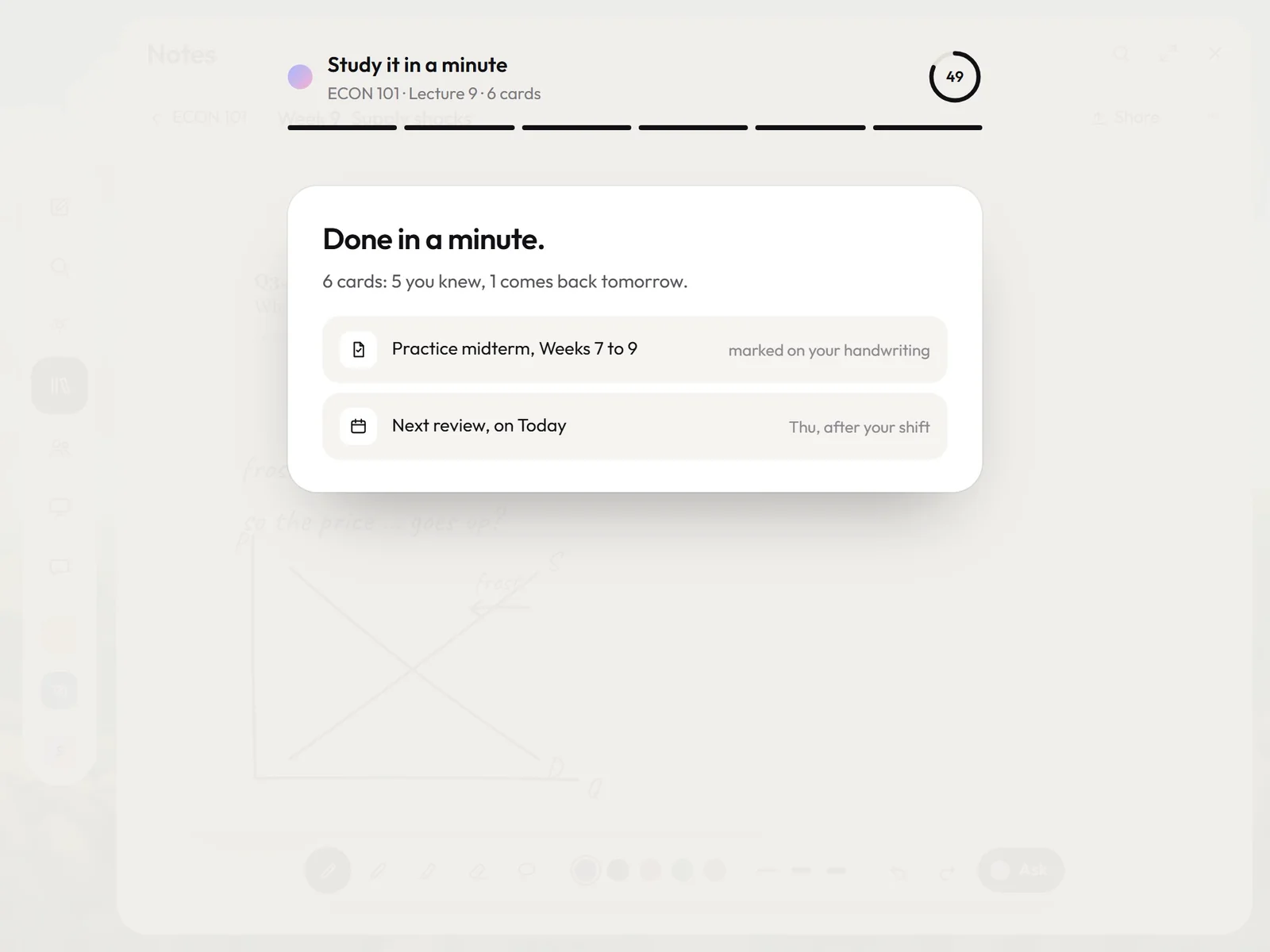
When class ends, it files the page, answers your “?” and turns the lecture into a one-minute deck. Practice midterms come back marked on your handwriting.

Any subject

One pen. Every subject.

The same circle works in every course. Pick one to see what the student wrote, and what came back.

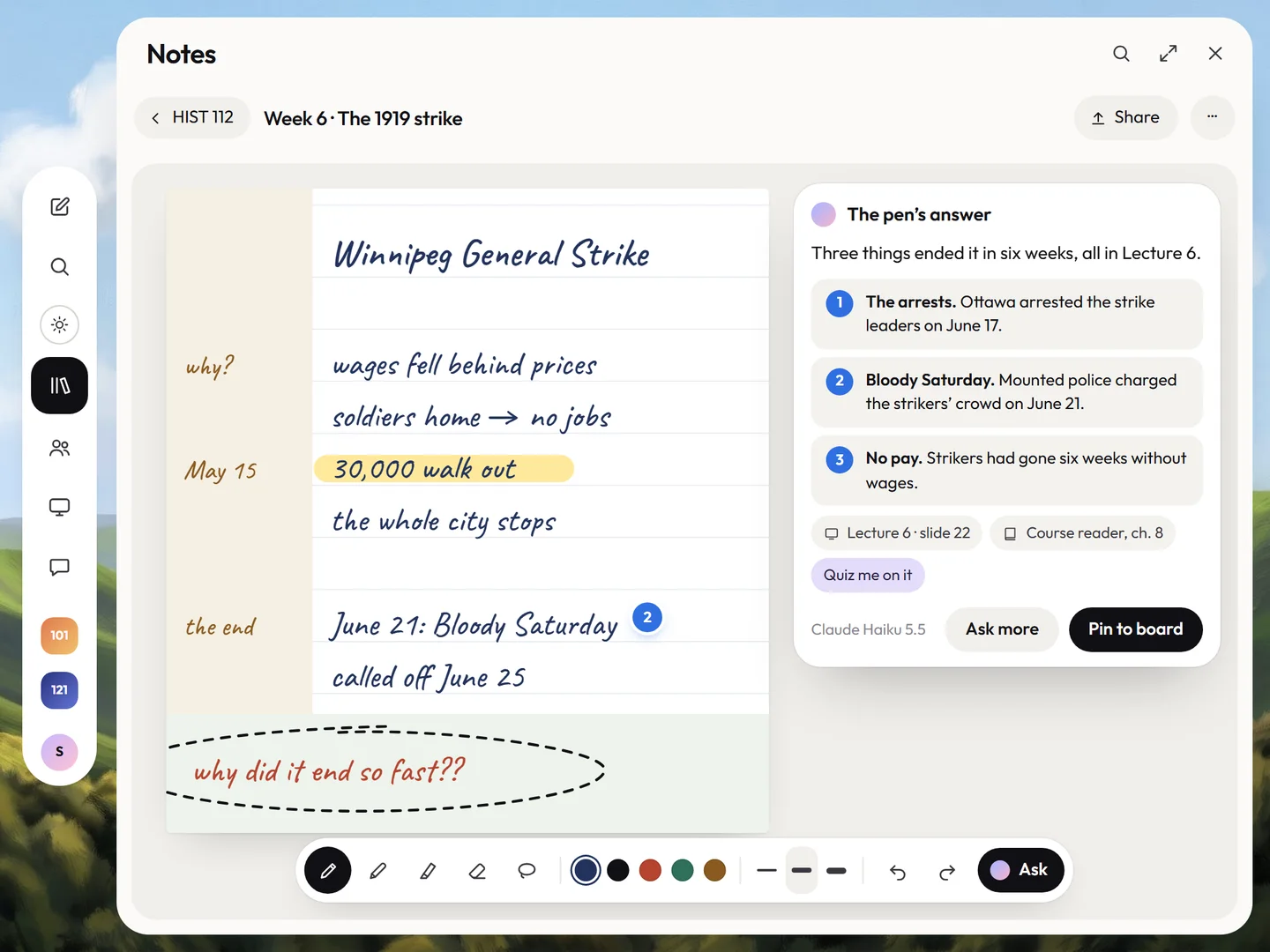
HIST 112 · Cornell notes

They circled

why did it end so fast??

It answered fromLecture 6 slides and the course reader
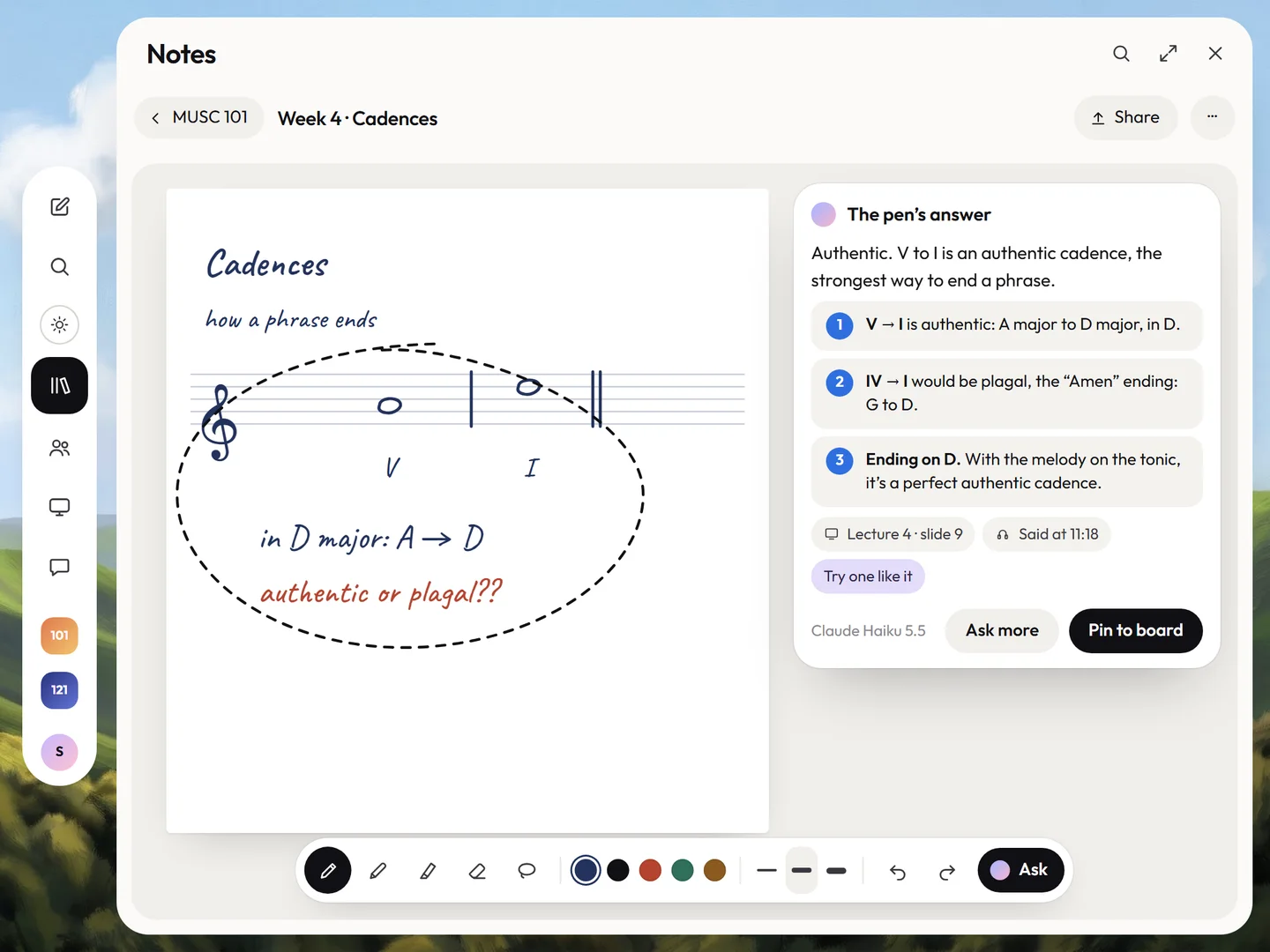
MUSC 101 · staff paper

They circled

authentic or plagal??

It answered fromLecture 4 and what was said at 11:18
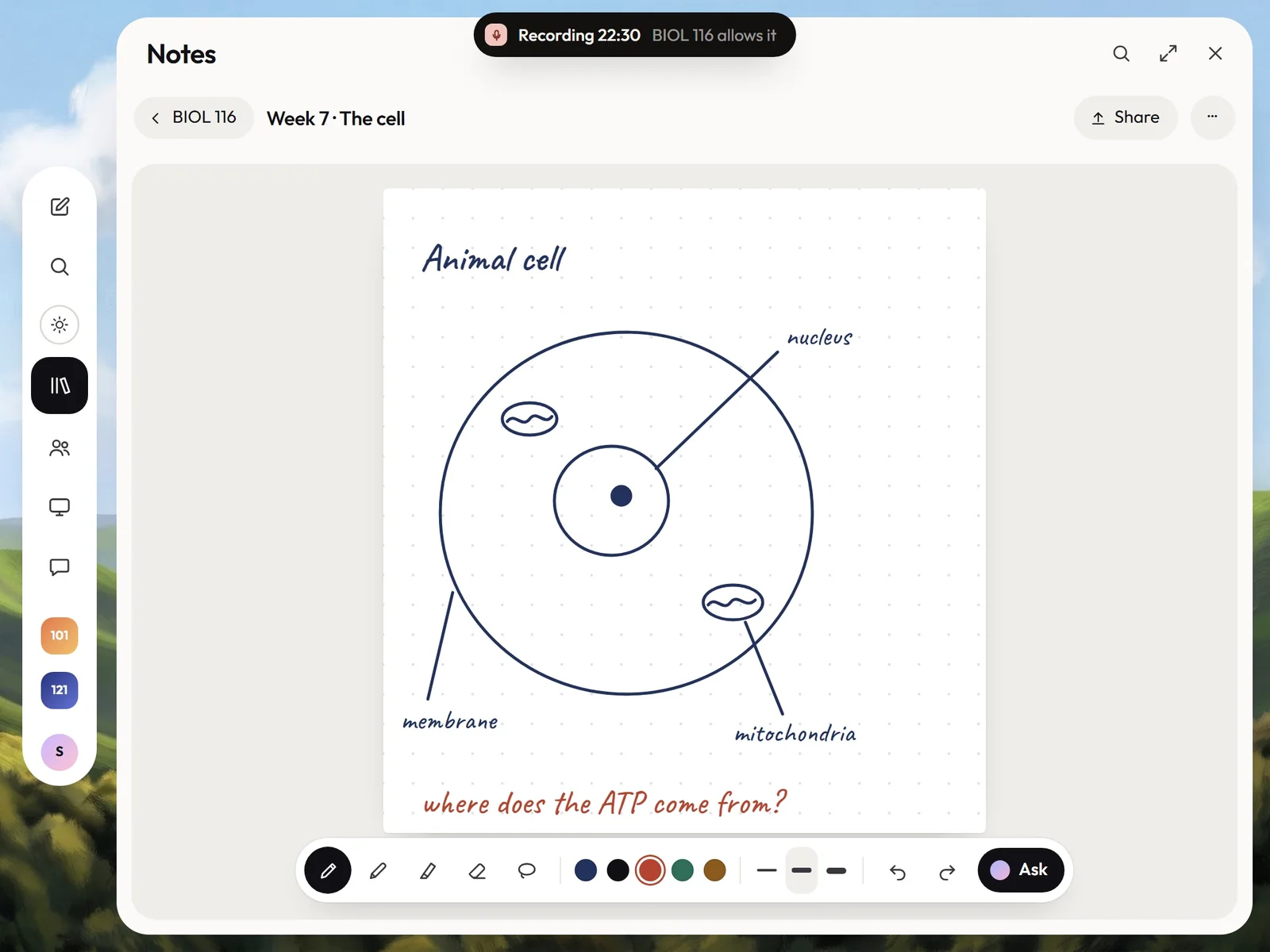
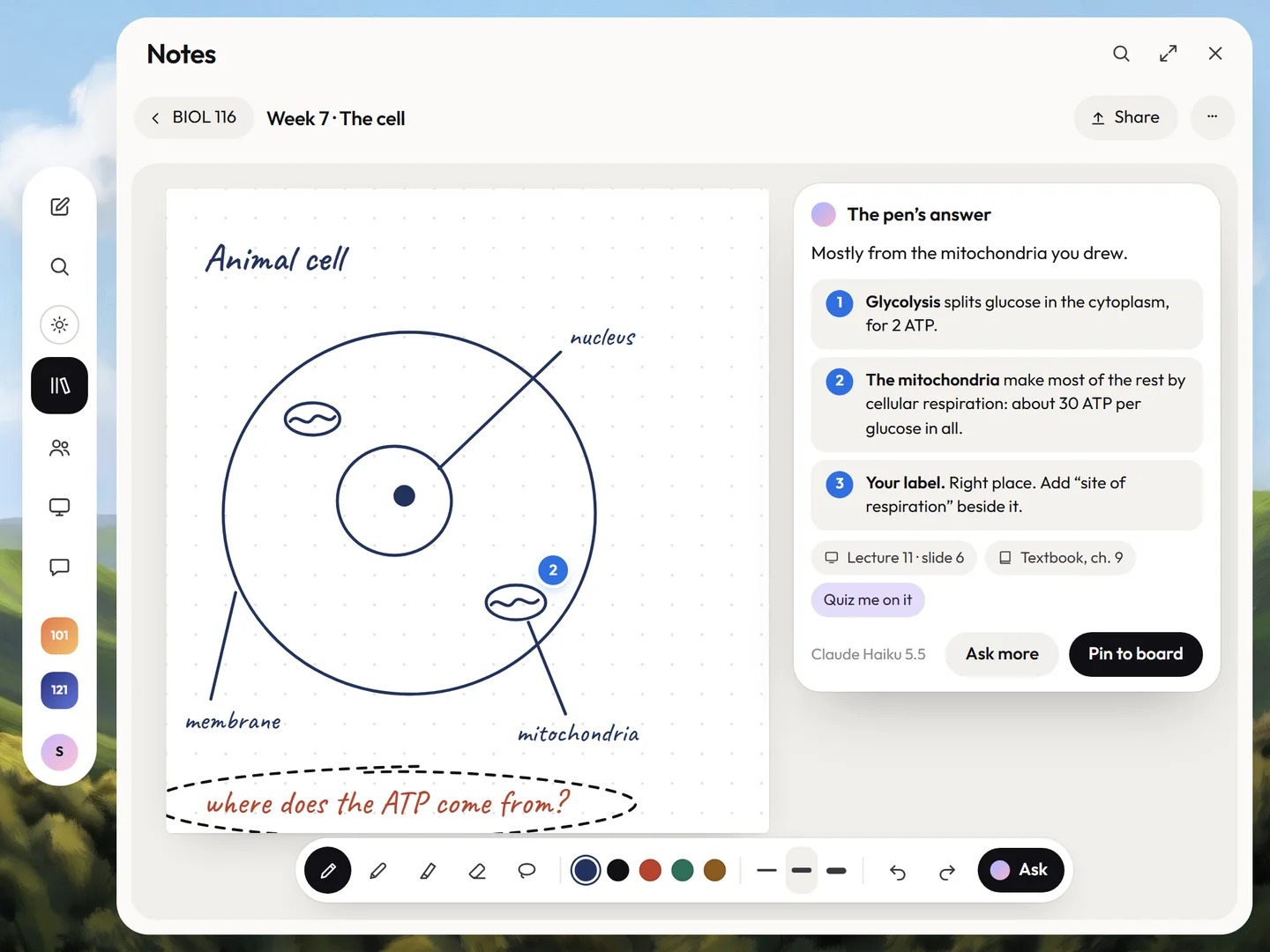
BIOL 116 · a sketch

They circled

where does the ATP come from?

It answered fromLecture 11 and the textbook, ch. 9
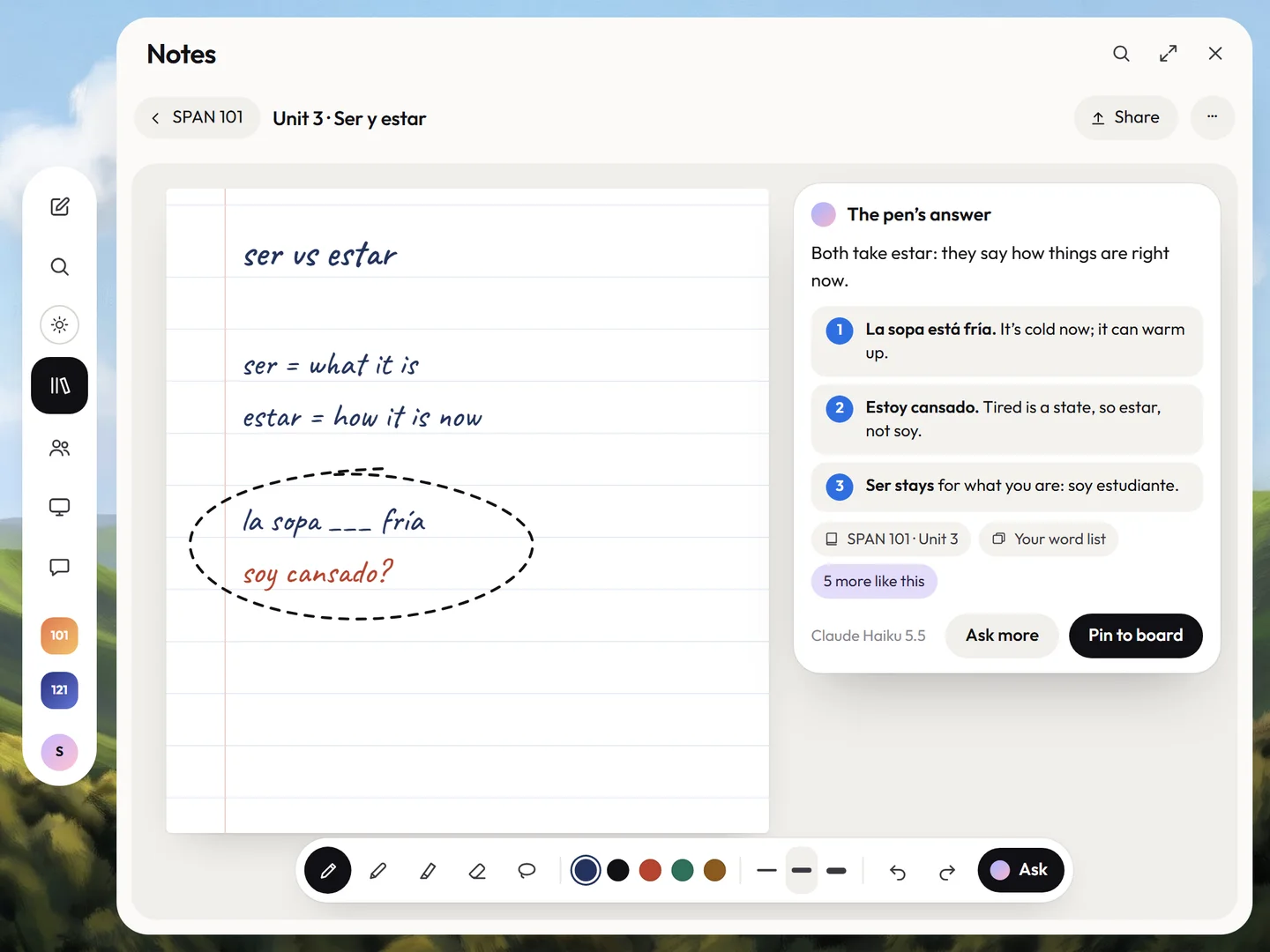
SPAN 101 · a learning space

They circled

soy cansado?

It answered fromUnit 3 and your own word list
MATH 101 · Check my line

They circled

= x sin x − cos x + C

It answered fromLecture 14; practice, so full help
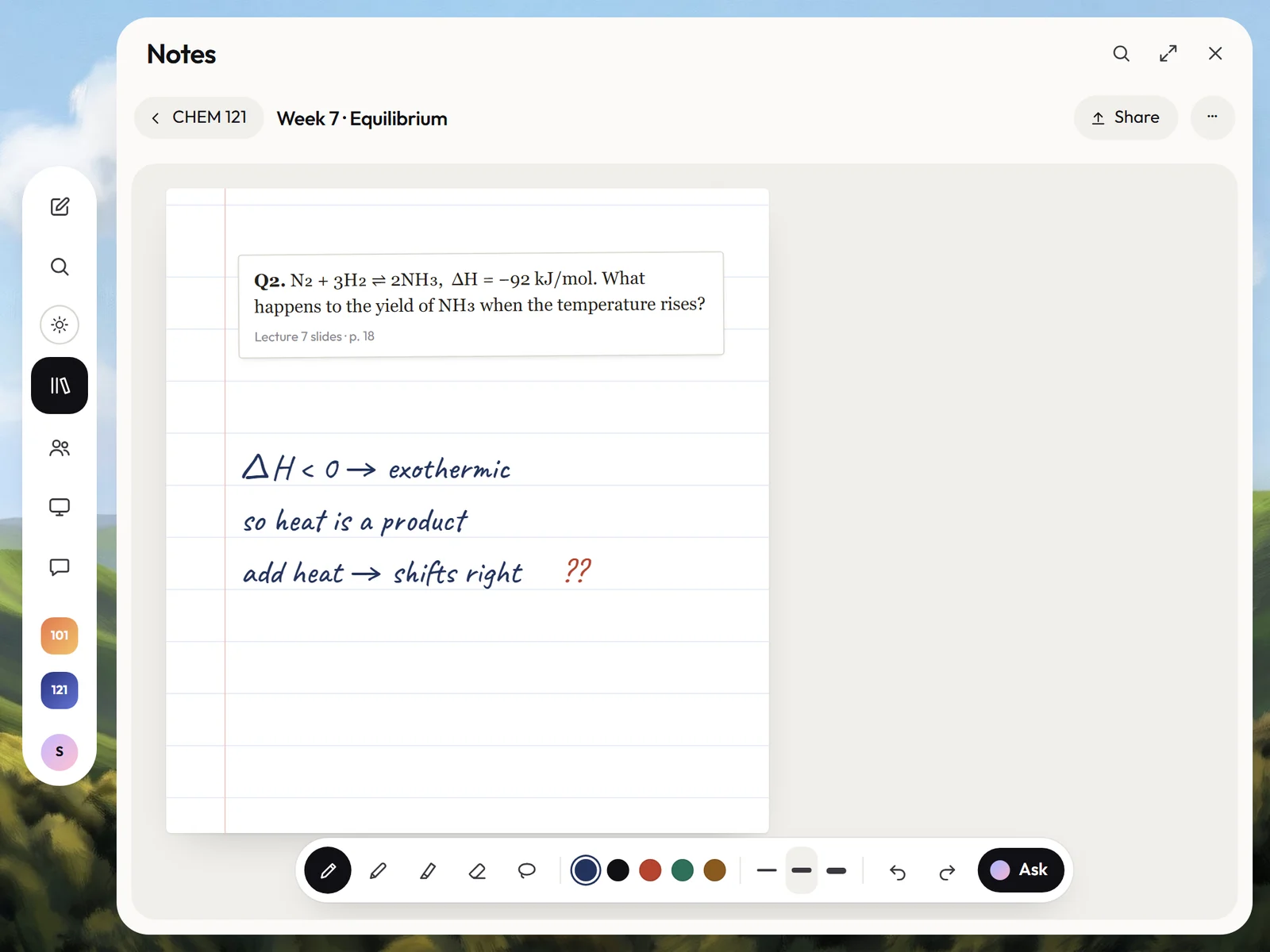
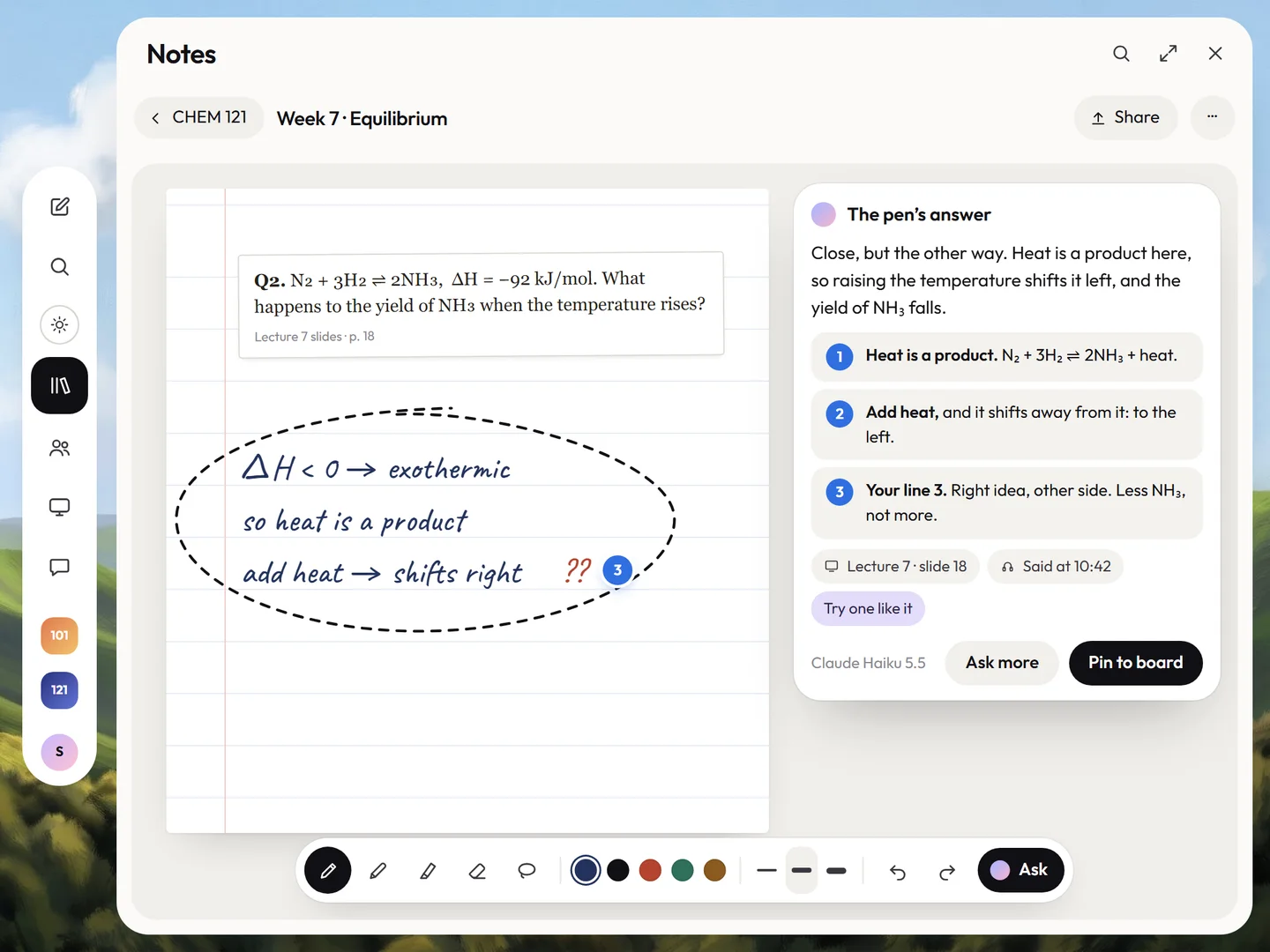
CHEM 121 · a slide question

They circled

add heat → shifts right ??

It answered fromLecture 7, slide 18
For detail lovers

Everything in Notes.

01Writing

  • Pencil inkPressure, tilt and palm rejection, on the page you’re used to.
  • The dockPen, pencil, highlighter, eraser and lasso, five inks, three widths.
  • Ten papersLined, squared, dotted, Cornell, music, lab grid, beside slides, or your PDF.
  • Squeeze for toolsOn Apple Pencil Pro, your tools and inks come to the tip.
  • Bring your notesFrom GoodNotes, Notability, OneNote or Apple Notes, filed by course.
  • Any file becomes paperSlides, PDFs and worksheets, many at once, ready to write on.

02On the page

  • Circle and askThe answer lands beside your ink, with its sources.
  • ConvertHandwriting to text, maths or code, typeset beside it.
  • Check my lineStep-checks that ask first, then teach the fix.
  • Draw it properlyYour rough sketch, redrawn clean: a graph, a molecule, a diagram.
  • Practice like thisA ladder of new questions, each a little harder.
  • Ghost inkIt finishes your line in grey from what was said. Tap to keep it.

03Lectures

  • Recording, with consentRead from the syllabus and asked once per course.
  • Tap a line to hear itEvery line is tied to the second it was said.
  • Replay the inkWatch the page write itself again, with the sound.
  • Slides beside your notesA divider you can drag; write right on the slide.
  • The course’s own recordingWhere recording isn’t allowed, it lines up the posted one.
  • Quiet for clicker questionsIt pauses until the question closes.

04Study

  • The after-class sheetFiled, your “?” answered, and what you missed writing.
  • Study it in a minuteA sixty-second deck from today’s lecture.
  • Blank-page recallWrite what you remember; it shows what you missed, and when it was said.
  • Mock midtermsNew questions in your exam’s format, marked on your handwriting.
  • The mastery mapWhat you know, what’s shaky, and how it connects.
  • What to study nextPlaced on Today, in the time you actually have.

05Everywhere, honestly

  • Search your handwritingYour ink, the slides and what was said. Offline too.
  • One page, two PencilsYour study group writes on the same page, live.
  • A glance on your phoneRead and listen, or snap the whiteboard into the right notebook.
  • Offline that still thinksWhen the lecture-hall Wi-Fi drops, your notes keep working.
  • Help locks in testsIn a quiz or exam, Ask is off and it stays quiet.
  • Each course’s ruleGraded work follows the syllabus: full help, Learn, or No AI.

Questions,
answered.

Still curious? Write to support@reposance.com. A person reads every message.

Does it work for my subject?

Yes. The same circle works for history, languages, music, business, the sciences, maths and high-school courses. It answers from your own slides, readings and lectures, so it speaks your course’s language, not a generic one.

Which iPad do I need?

Any iPad that works with Apple Pencil. Add Reposance to your Home Screen from Safari and it opens full screen, like any app. Your notes are on your laptop and phone too, to read, search and listen to.

Can I bring my notes from GoodNotes or Notability?

Yes. Bring notebooks and PDFs from GoodNotes, Notability, OneNote or Apple Notes. They are filed into the right course, and you can keep writing on them.

Will it help me during a test?

No. Notes and practice get full help. In a quiz or exam, Ask is locked and Reposance stays quiet, and on graded work it follows each course’s rule. It records lectures only where the course allows it.

Pick up
the Pencil.

Join the beta. Students first, every major. Laptop, iPad and phone.

You are on the list. Check your inbox.

Reposance betaStudents firstAsks before it acts2026